

Incidents, priorities and requirements
How an incident unfolds: priority, the crews’ assessment, what it needs, developments and resolution.
An incident is a real emergency at a real place. You will not know exactly what it needs until your crews get there.
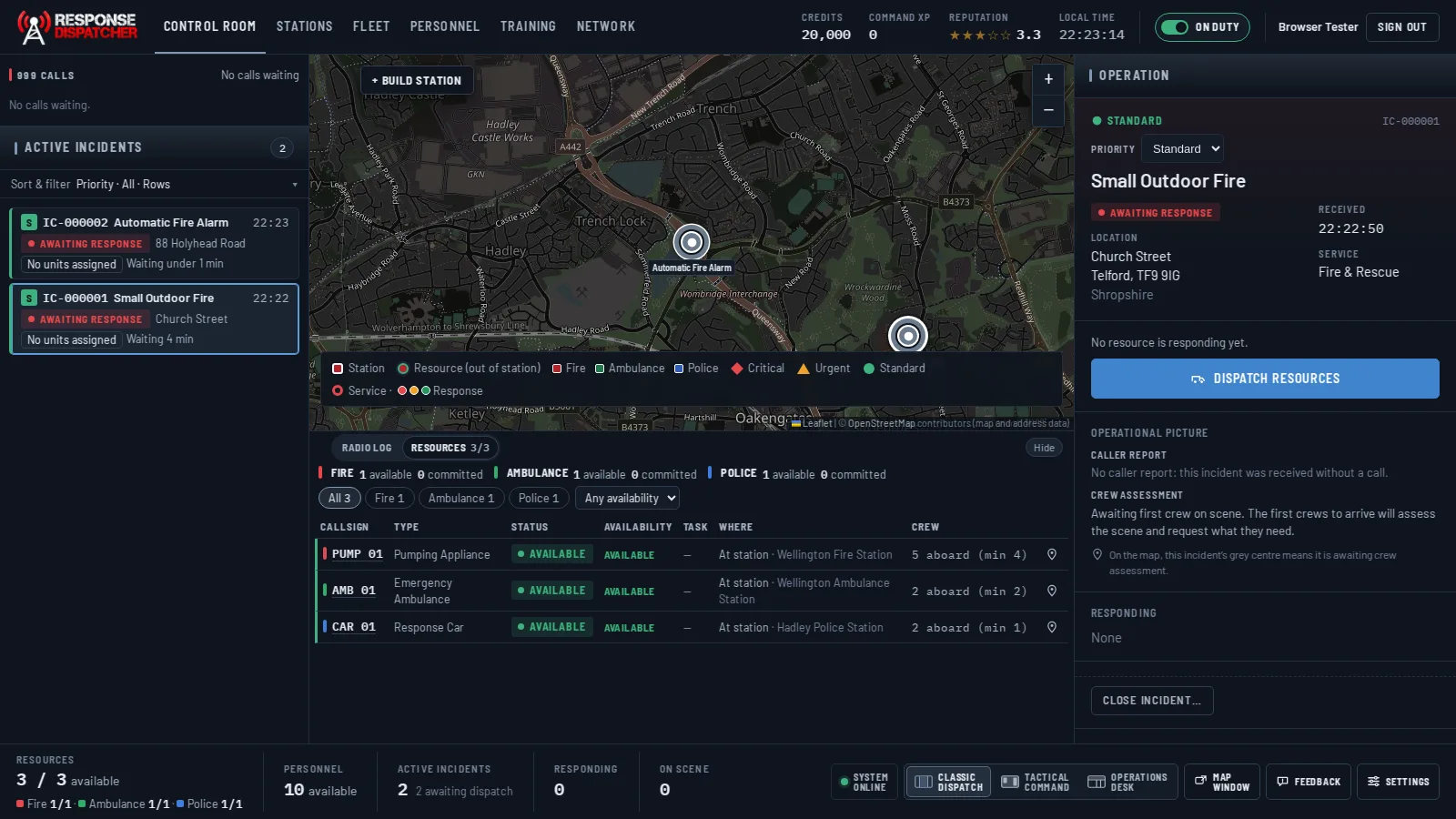
Priority
| Priority | Meaning |
|---|---|
| Critical | Life at immediate risk: respond at once. |
| Urgent | Serious, needs a prompt response. |
| Standard | Needs a response, but not at the cost of more serious incidents. |
Every incident shows its priority as a colour, a letter and a word. You can change an incident's priority from the operation panel if your judgement differs. This changes its priority only, never what the incident needs.
Finding out what is needed
- Before anyone arrives you know what the caller said. Needs show as Not yet known and the map marker's centre is grey.
- The first unit arrives and, after a short assessment, sends an initial report naming which services are needed (for example Fire & Rescue and Ambulance).
- Each service assesses its own part once a unit of that service arrives: what it needs (such as two Fire Suppression and one Breathing Apparatus Support), the work to be done, and any patients or detainees to take away.
If what you have committed is not enough, the assessing crew sends an assistance request. It pulses on the incident until you choose Acknowledge; the incident then shows what is still needed until it has arrived.
Requirements are capabilities
Incidents need capabilities, not particular vehicles. A Pumping Appliance provides Fire Suppression, Water Delivery and Breathing Apparatus Support; a Rescue Pump adds Technical Rescue; a Response Car provides Police Response. See Fire & Rescue, Ambulance and Police for each vehicle's capabilities.
You can send any of your resources anywhere. If you send one whose capabilities the incident has not asked for, the game warns you but does not stop you.
Work on scene
Once the right resources are on scene, the crews carry out the incident's tasks (for example extinguishing a fire, treating a patient or making an arrest) on their own. Some tasks go faster with a fuller crew: for example extra breathing apparatus pairs at a building fire. An incident with too few resources stays open until enough arrive.
Incidents can change
Once you have resolved your first ten incidents, some incidents develop while you deal with them. Each incident changes at most once, and many never change at all. More callers may ring in with new information before your crews arrive, and once they are on scene the crews report what they find. The report appears in the incident's details, in your alerts and on the radio, labelled by what it means:
| Label | What it means | Example |
|---|---|---|
| Situation developing | The incident needs more than before. If your committed resources no longer cover it, the crew asks for more. | "Smoke logging on the second floor: this is a fire, not a false alarm. Make pumps two." |
| New service requested | The crew has found that another service is needed, for example an ambulance for an injured resident at a fire, or police to close a road. The incident now needs that service too, and it cannot finish until that part of the work is done. | "One resident brought out with burns to the hands. Request an ambulance." |
| Situation easing | The incident needs less than before. Units still on their way that are no longer needed are offered for Stand down. | "Fire surrounded and under control. One appliance can be released." |
| Update from scene | Useful information. Nothing about the incident's needs changes. | "Return of spontaneous circulation. Patient being packaged for conveyance." |
| Further information / Caller update | Before your crews have assessed the scene: what further callers said. Any change to the needs is confirmed when the crews arrive. | "Further calls: smoke is now coming from the roof." |
When a report changes what an incident needs, the details show the change as a fact, for example Fire Suppression: 2 → 1 needed. If an earlier request for more resources is no longer needed, its alert says Covered now. Respond with your usual controls: Add resources, ask for mutual aid, change the priority, or stand units down. Nothing is ever sent or released for you.
When a crew asks for another service, the incident shows which service and what it needs straight away, so you can send a unit or ask for mutual aid at once. The new service is shown as awaiting assessment until one of its units arrives; what your other crews have already assessed stays as it was. You are only ever asked for a service you run and have the vehicles for, and only once you have resolved 25 incidents. How quickly that service arrives is judged from the moment it was requested, not from when the incident began.
A scene left waiting too long may also get worse before anyone arrives. Developments never ask for specialist resources (such as a rescue pump or critical care), never ask for more than you own, and never reduce a reward.
Resolution
When every task is complete and any patients or detainees have been taken away, the incident is resolved. You receive its Credits and Command XP, and your resources clear and drive back to station. See Conveyance and custody.
Finished incidents leave the board but are kept: see Incident History in The Control Room.
Closing an incident unresolved
If you cannot deal with an incident (for example it needs a capability you do not have), you can choose Close incident and confirm. It earns nothing, counts against your Reputation, and any resources there clear by the normal rules. Use it as a last resort.
Response benchmarks
For Reputation, your response is compared with a benchmark for the incident's priority: about 8 minutes for Critical, 15 for Urgent and 30 for Standard. These are yardsticks, not deadlines: nothing fails when one passes. New players are not judged until they have resolved ten incidents.